Identity Resolution
Identity resolution is Zeotap’s module for unifying customer records across data sources into a single, coherent profile. When the same person appears in several models, systems or channels — each with different identifiers — identity resolution links those records together and gives them one shared profile id.
Why Identity Resolution Matters
In most organizations, customer data is fragmented:
- A user signs up on your website with an email address
- The same person downloads your mobile app and gets a device ID
- They call customer support and are identified by phone number
- They make a purchase in-store and use a loyalty card number
Without identity resolution, these appear as four separate customers. Marketing messages are duplicated, analytics are inaccurate, and the customer experience is disjointed.
Identity resolution connects these records by finding shared identifiers — the same email address, the same phone number, overlapping cookies — and merging them into a single unified profile.
How It Works
Zeotap resolves identity with a connected-components algorithm, run entirely as SQL inside your warehouse.
1. Build the links
Every source record becomes a node. Every merge rule you enable groups records by their normalised value for one identifier family and links the records in each group.
| Record | Phone | Cookie | |
|---|---|---|---|
| A | alice@co.com | 555-0100 | — |
| B | alice@co.com | — | abc123 |
| C | — | 555-0100 | — |
| D | — | — | abc123 |
With the email, phone and cookie rules enabled, A links to B, A links to C, and B links to D.
2. Follow the chains
The algorithm finds every group of records that are transitively connected. Above, A, B, C and D all land in the same profile — even though C and D share no identifier directly — because they are linked through A and B.
This transitive closure is what makes identity resolution powerful, and it is also what makes it dangerous: one bad identifier value can chain unrelated people together. That is why limit rules are on by default, and why merge-rule priority decides which merges are allowed to happen at all when a limit would be breached.
3. Write the results
Each profile is written to your warehouse with a stable profile id (ss_id) that identifies the person across the platform, along with per-profile statistics and a record of the merges a limit refused.
If you configure a golden record, a further table gives one unified row per profile, with the best value for each attribute chosen by survivorship strategies you pick per attribute — most recent, most frequent, source priority, first non-null, collect all, minimum or maximum.
Key Concepts
Identity graph
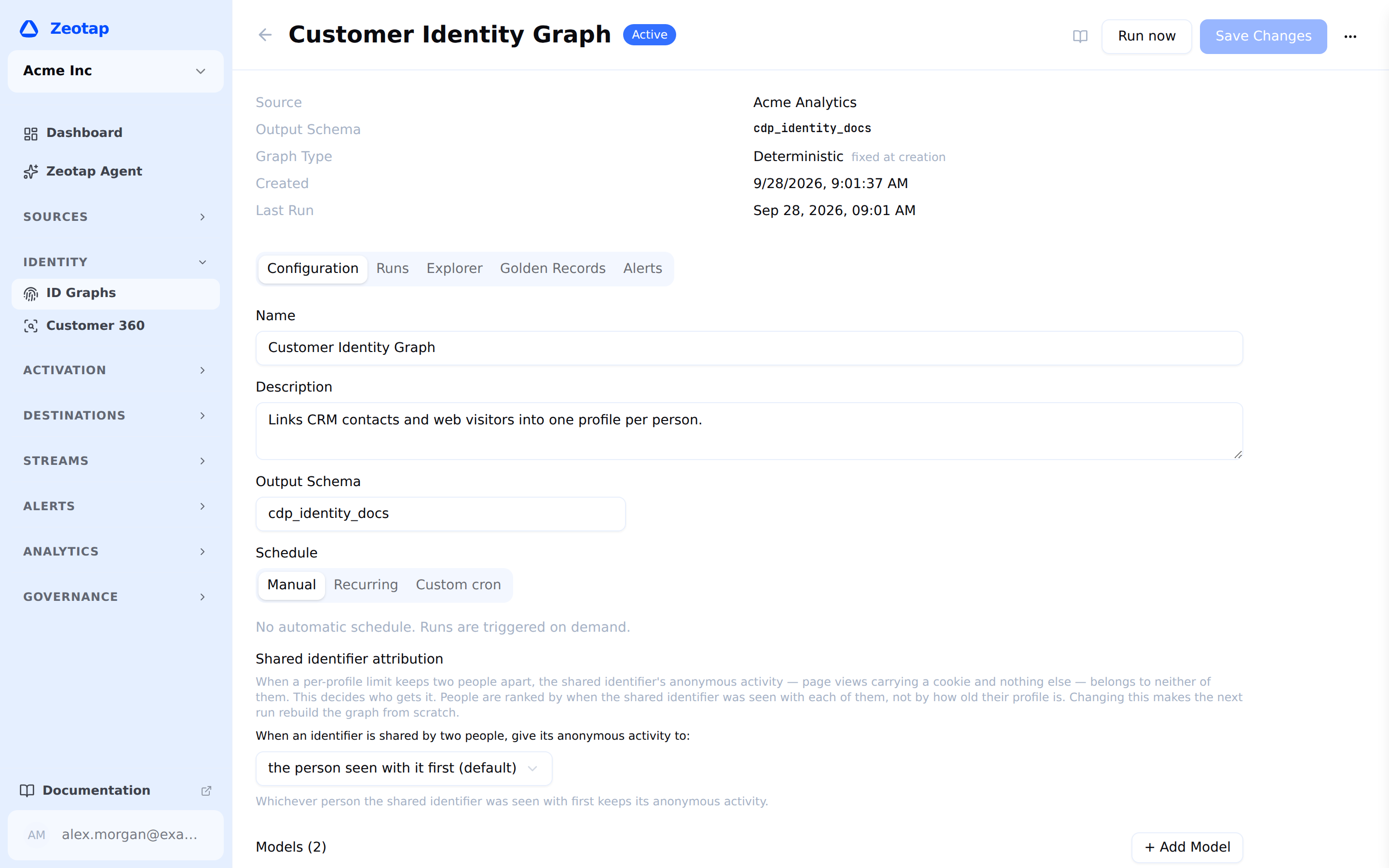
The configuration that defines how resolution behaves. You define it by specifying:
- Models to include — the models whose records are linked, each classified as
user(one row per person) orevent(one row per occurrence) - Identifier mappings — which column of each model holds which identifier type
- Merge rules — which identifier families may link records, in what order of trust
- Limit rules — how many records may share one identifier value, how many values of a family one profile may hold, and who gets a shared identifier’s anonymous activity
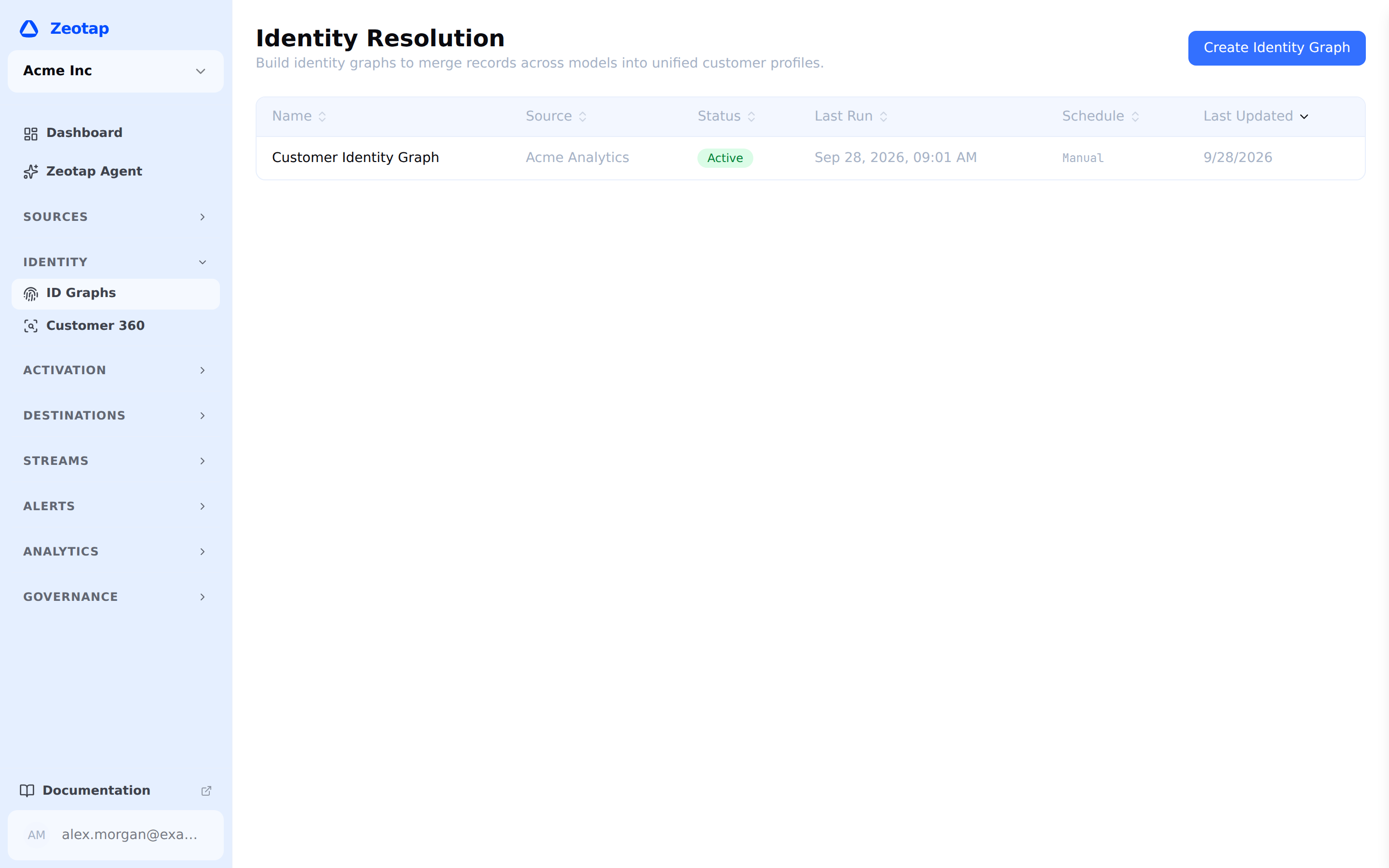
Every identity graph in the workspace is listed under ID Graphs in the left sidebar.
Profile
A group of records resolved to the same person. Each profile carries a stable id, ss_id, which is what audiences, syncs and computed attributes use to mean “this person”. When two profiles merge, the older ss_id survives, so downstream systems keep a stable key.
Golden record
An optional unified row per profile, holding one surviving value per attribute. See Golden Records.
The Resolution Pipeline

- Configure — Select models, map identifiers, and set merge and limit rules through a five-step wizard
- Build — Read the mapped columns, normalise them, and build the links
- Resolve — Group the linked records into profiles, pass by pass in priority order, applying the limits
- Produce — Write the profiles and, if configured, the golden record to your warehouse
The entire pipeline runs warehouse-native — all computation happens as SQL executed against your data warehouse, and no customer data leaves it.
Runs are either a full rebuild or an incremental update. The system decides which per run and records what it did and why; see Running Resolution.
A graph’s own page carries its configuration, its run history, a profile explorer and its golden-record setup.
What You Can Do
| Feature | Description |
|---|---|
| Create an Identity Graph | Five-step wizard: name and source, models, identifier mappings, rules, review |
| Identifier Families | Map columns to email, phone, id, device and custom identifier types |
| Merge Rules | Control which identifier families link records, and which one wins a conflict |
| Probabilistic Matching | Fuzzy name, IP cluster and household matching with confidence scores |
| Limit Rules | Prevent over-merging: ignore over-shared values, bound the values one profile may hold, and decide who gets a shared identifier’s anonymous activity |
| Run Resolution | Run a graph, and see what each run actually did |
| Golden Records | Configure survivorship strategies for unified profiles |
| Profiles | Inspect one customer: golden record, merged records, merge lineage, what was kept apart |
| Profile Explorer | Look a profile up by identifier |
Identity Resolution and Activation
Resolved profiles are what the rest of the platform segments on:
- Computed attributes can be computed on the golden record, combining data from every linked record rather than one table’s view of the person
- Audiences linked to an identity graph are deduplicated to one row per profile, so a person counted once is contacted once
- Syncs send the surviving identifier for each profile, so a destination receives one record per person rather than one per source row
Next Steps
- Creating an Identity Graph — Get started with the setup wizard
- Core Concepts — How identity resolution fits into the broader Zeotap platform